From your services
to a standout proposal.
Choose your services, organise the work into phases and share a proposal that feels like your brand.
Briefs, clients and proposals. All connected.


From a good idea
to a proposal that makes sense.
Bring every detail together. Give your client a clear, considered experience that feels like your brand.
Your type, colours and case studies. A proposal with your brand’s character, on every screen.
- Editable layouts
- Your identity and case studies
 Illustrative example
Your own way to make an impression.
Your voice. Your identity. Your next project.
Bring in your services, adjust the scope and present alternatives. Let your client compare what each option includes.
- Fixed-price or hourly services
- Tailored options and extras
Need more context? Send a brief with your own questions. Keep the answers at hand while preparing your proposal.
- Reusable, multi-step forms
- Start without a brief, too
Keep questions, change requests and next steps alongside the proposal and your client’s details.
- Responses linked to their version
- Follow-ups and private notes
First, give the work its shape.
Then, show the way forward.
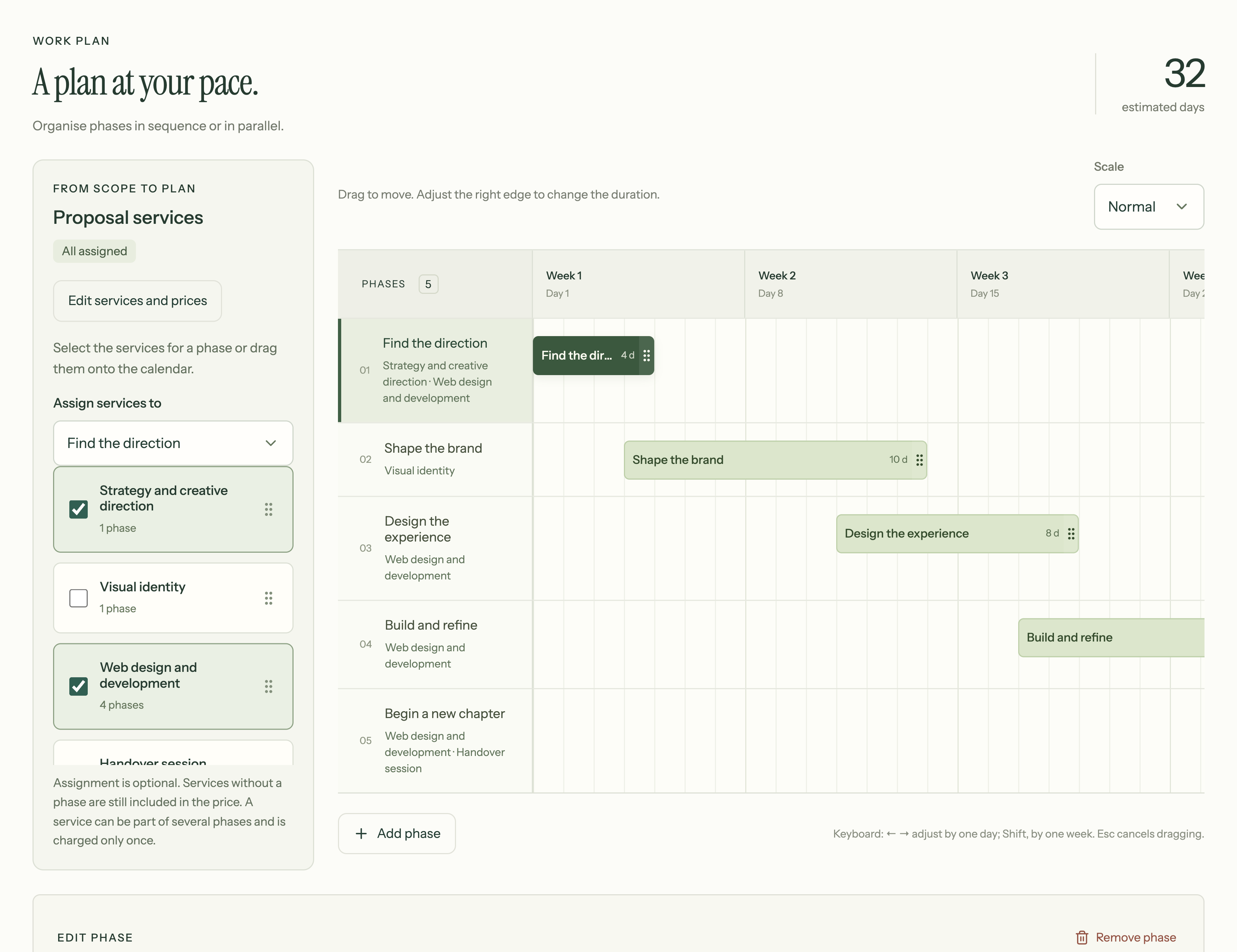
Add phases, connect your services and adjust the timing. Switch to the client view to see the same plan become part of the proposal.
Your services, organised into phases and timings. A visual plan that helps your client understand how the project will move forward.
More about the roadmap
 / Casa SalTry it here
Your phases
Edit the names, adjust the days and put the work in order.
Interactive example. Changes stay in this demo; nothing is saved or published.
 orilla®Illustrative example
Your proposal.
Your way of working.
There’s more than one way to sell a project. Save your services, phases and what already works, so your next proposal starts on solid ground.
- Your brand, from typefaces to buttons.
- Your case studies, alongside the scope you offer.
- Your content, in Spanish, English or your client’s own voice.
Before your
next proposal.
Does my client need an account?
No. They can open the proposal and complete the brief through their links, without signing up.
Do I always have to start with a brief?
No. You can create a proposal directly. Briefs are an optional way to collect any context you need.
Can I use my own brand identity?
Yes. Set heading and body fonts, colours, your logo and button styles. Add your own images and case studies, too.
What happens when I edit a published proposal?
Changes stay in your draft until you publish a new version. You can also revoke the link. An accepted proposal keeps the version that was agreed.
Can I work in Spanish and English?
Yes. Choose the application language and the language of each brief or proposal separately. Content you write is not automatically translated.
Does Propsenda write proposals for me?
You decide the content, services and scope. Propsenda helps you organise, reuse and present them in a considered visual structure.